
Lab F - Chaos Engineering
Goals
We’ll run automatic application discovery to identify our layout and then introduce chaos experiments to test resiliency.
Lab Guide
Chaos Engineering
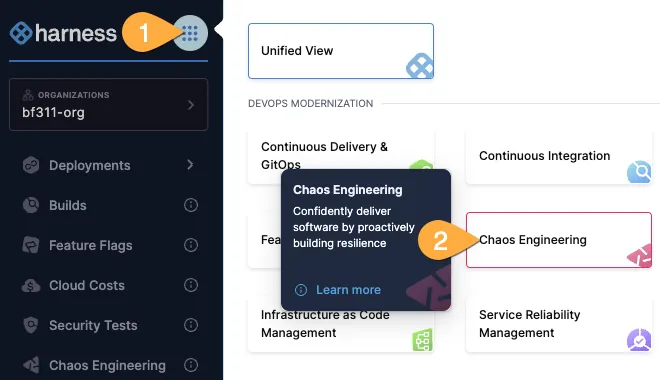
- Using the mega-hamburer button, switch to the Chaos Engineering pane.
Application Discovery
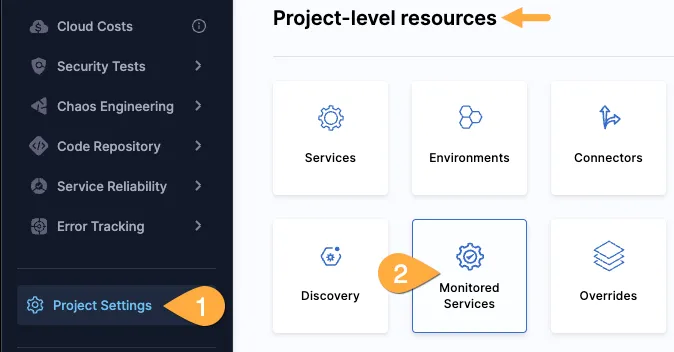
- On the left-side blue menu, choose project settings, scroll to Project-level resources, then the Discovery tile.
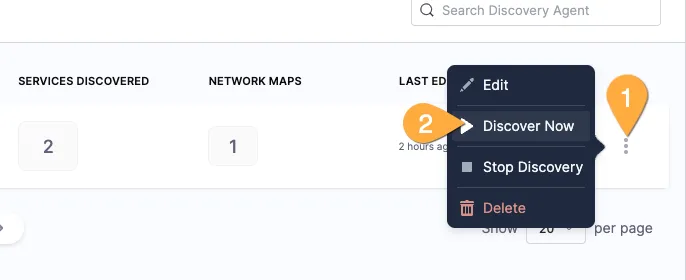
- On the DA-k8s line, on the far right, click the hamburger button, then Discover Now.
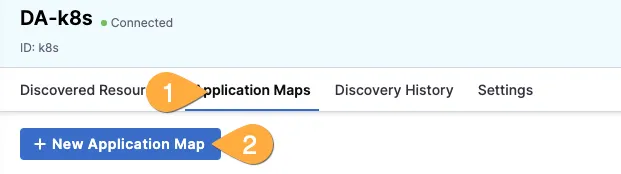
- Click on DA-k8s, then Application Maps, then +create new application map.
- Name it similar to
landingpageand then select all services, then save in the top right.
Setup automatic chaos experiments
- In the blue left menu, click Application Maps, then click on your new application.
- Select Chaos Experiments at the top, then the Only a few tile.
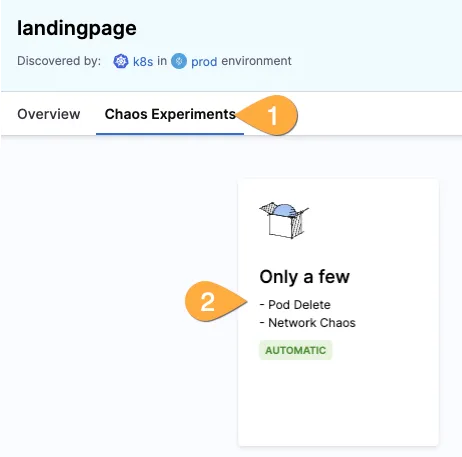
- Review the experiement selected and then click run in the top right corner.
Setup a custom chaos experiment
- In the left blue menu, click Chaos Experiments, then +New Experiment.
- Give it a name similar to
pod-memory, then *Kubernetes (Harness infra), *then Select a Chaos Infrastructure.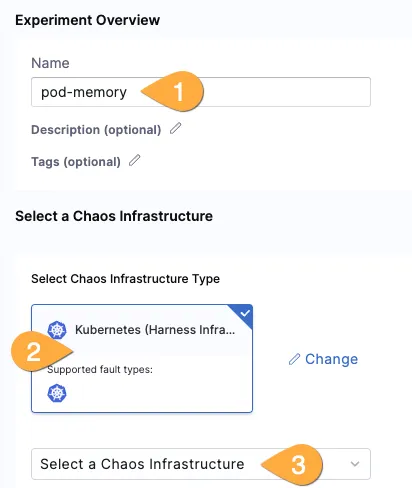
- Ensure prod is selected, click Next, ensure k8s is selected, then Apply.
- CLick Next, then start with blank canvas.
- Click the Add tile, (optional) search for
memory, and select the Pod Memory Hog fault.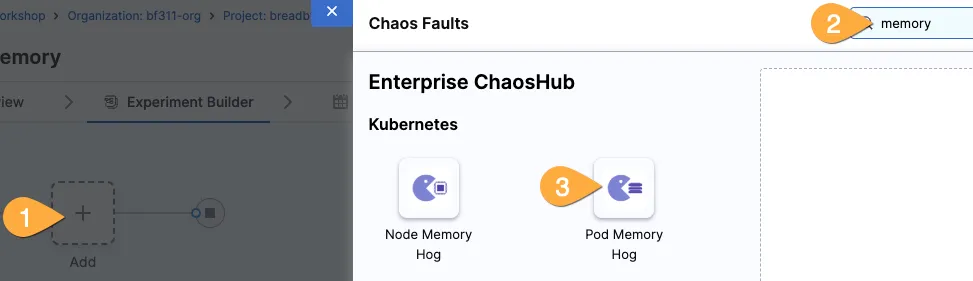
- Select Target Application, deployment type, the org’s namespace, and name.
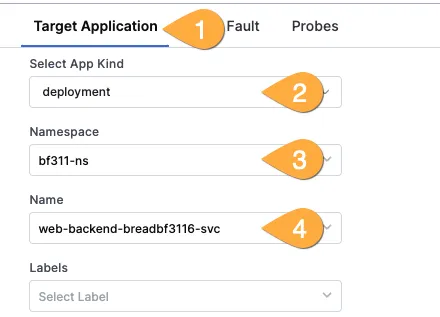
- Select the Tune Fault tab, 300 for chaos duration, 300 for memory consumption, and 1 for workers.